Social Media Video Aspect Ratios: Which Format to Use on Each Platform
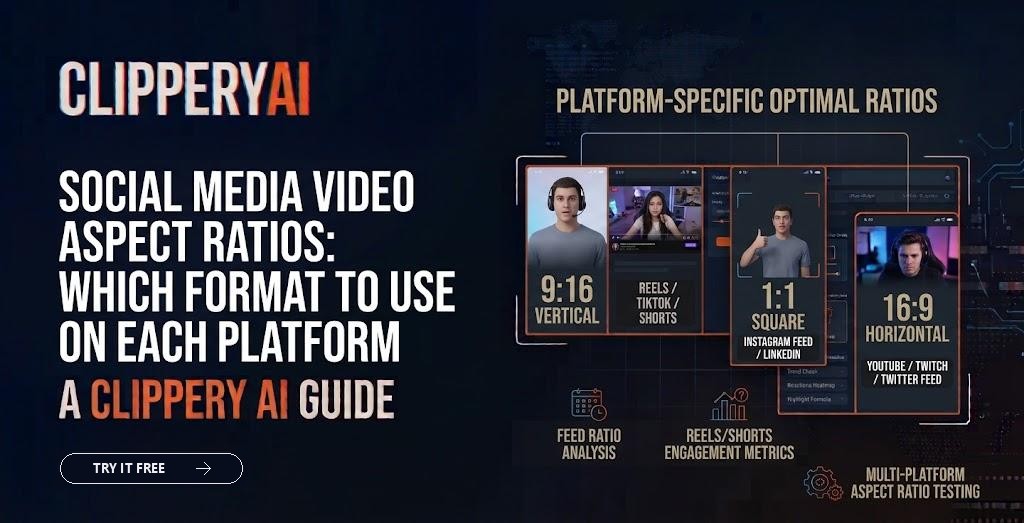
You record one video and want to post it everywhere. Then the problems start. On TikTok, your 16:9 video sits in a thin strip with black bars above and below. On Instagram, the edges of your square video get cropped in the grid. On LinkedIn, the vertical version takes up more screen than you expected.
Social media video aspect ratios decide how much of the screen your video fills and what gets cut off. Picking the right one for each placement, and knowing how to adapt one recording into several, saves time and keeps your content from looking out of place. Here's a practical reference.
What is an aspect ratio?
An aspect ratio is the relationship between a video's width and height, written as width:height. A 16:9 video is wider than it is tall. A 9:16 video is the same shape turned on its side, taller than it is wide. A 1:1 video is a perfect square.
Aspect ratio is different from resolution. Resolution is the number of pixels, like 1080 x 1920. Two videos can share an aspect ratio but have different resolutions.
The four aspect ratios you'll use most
| Aspect ratio | Shape | Common resolution | Typical uses |
|---|---|---|---|
| 9:16 | Vertical, full screen on phones | 1080 x 1920 | TikTok, YouTube Shorts, Instagram Reels and Stories, Snapchat |
| 4:5 | Slightly vertical | 1080 x 1350 | Instagram and Facebook feed posts |
| 1:1 | Square | 1080 x 1080 | Feed posts on several platforms, older-style social posts |
| 16:9 | Horizontal (widescreen) | 1920 x 1080 | Regular YouTube videos, websites, presentations, TV |
Platforms support other ratios too, and their recommendations change. Treat this as a starting point and check each platform's current guidance when exact specs matter, such as for paid ads.
Social media video aspect ratios by platform
TikTok, YouTube Shorts, and Instagram Reels
The 9:16 aspect ratio is the standard for full-screen vertical feeds. A vertical video size of 1080 x 1920 fills a phone screen without bars. YouTube treats square or vertical videos of 3 minutes or less as Shorts, so a 1:1 video can also qualify, but 9:16 uses the full screen.
Instagram and Facebook feeds
In scrolling feeds, 4:5 video takes up more vertical space than a square without filling the whole screen. A 1:1 square video also works and is a safe choice if you want the same file to look consistent across feeds.
The LinkedIn video format supports horizontal, square, and vertical video. Vertical and square clips take up more space in the mobile feed, while 16:9 is familiar for professional content like webinar excerpts and presentations. If your audience watches on desktop as well as mobile, square is a balanced option. For ideas on webinar clips, see our webinar clips use case and our guide on how to repurpose webinar content.
YouTube (regular videos)
Standard YouTube videos are best in 16:9, the widescreen format YouTube's player is built around. Uploading vertical video as a regular YouTube video results in a narrow frame on desktop.
What are video safe zones?
Video safe zones are the areas of the frame that platform interface elements are unlikely to cover. On vertical feeds, usernames, captions, and buttons for likes, comments, and shares sit along the bottom and right side of the screen. Anything important placed there, like captions or on-screen text, can be hidden.
A few practical rules:
- Keep captions and text above the bottom section of the frame and away from the right edge.
- Keep the speaker's face in the upper-middle part of the frame.
- Avoid putting key text in the top strip, where some apps place status bars and menus.
- Preview your video on a phone before posting.
Each platform's interface is slightly different, so check templates or preview tools if precise placement matters. Our guide to captions for short-form video covers caption placement in more detail.
How to turn one video into several aspect ratios
Most creators record once in 16:9 and need vertical and square versions too. There are three main approaches:
| Method | How it works | Best for | Downside |
|---|---|---|---|
| Static crop | Cut a fixed vertical section from the center | Single speaker who stays centered | Subject can drift out of frame |
| Padding | Fit the full frame inside a vertical canvas with bars or blurred background | Wide shots, slides, screen recordings | Small subject, wasted screen space |
| Dynamic reframing | The crop follows the active subject or speaker | Interviews, podcasts, talks | Needs careful editing or a tool that tracks the speaker |
Our step-by-step guide on how to convert horizontal video to vertical explains each method in more depth.
Recording tips that make reframing easier
- Frame subjects with space around them, so a vertical crop doesn't cut off heads or hands.
- Keep important visuals near the center of a wide shot.
- Record at a higher resolution when possible, so cropped versions stay sharp.
- If you're recording a vertical-first project, consider shooting vertically from the start.
Exporting clips in multiple formats with ClipperyAI
ClipperyAI exports clips in 9:16, 1:1, or 16:9, chosen per export. When it reframes a clip to vertical, it keeps the speaker centered rather than using a static crop that can drift off-subject, and it keeps word-timed captions inside the frame. It works with your own recordings, uploaded as MP4, MOV, WebM, MKV, or M4V files, or linked from a video you own or have permission to use.
It doesn't currently list 4:5 among its export formats, so if you need 4:5 for a specific feed placement, a square or vertical export may be the closest option. You can try it free in the studio.
A quick decision guide
- Posting to TikTok, Shorts, or Reels? Use 9:16.
- Posting in a feed and want more screen space? Use 4:5 or 1:1.
- Want one file that works in most feeds? Use 1:1.
- Posting a regular YouTube video or embedding on a website? Use 16:9.
- Not sure where it'll be watched? Check your analytics for mobile vs. desktop viewers.
The bottom line
Choosing the right aspect ratio is about matching the screen your audience is holding. Vertical 9:16 dominates short-form feeds, square and 4:5 work well in scrolling feeds, and 16:9 remains the standard for regular YouTube videos and presentations. Plan your framing when you record, respect safe zones, and use reframing that follows the speaker.
If you have long recordings to turn into clips for several platforms, upload one to ClipperyAI and export it in the format each platform needs.
Frequently asked questions
What is the best aspect ratio for social media videos?
It depends on the platform and placement. Vertical 9:16 is the standard for TikTok, YouTube Shorts, Instagram Reels, and Stories. Feeds on Instagram and Facebook work well with 4:5 or 1:1. Regular YouTube videos and websites typically use 16:9. If you need one format for many feeds, square 1:1 is a reliable compromise.
What size is a 9:16 video?
The most common size for a 9:16 video is 1080 x 1920 pixels, which fills a phone screen in portrait orientation. Higher resolutions with the same ratio, such as 2160 x 3840, also work on many platforms, but 1080 x 1920 is widely supported and keeps file sizes manageable.
Can I post a horizontal video on TikTok or Reels?
Yes, but it will appear smaller, usually with empty space or bars above and below. That leaves much of the screen unused. Converting horizontal video to vertical by cropping or reframing around the subject typically creates a better viewing experience in full-screen vertical feeds.
Is 4:5 or 1:1 better for Instagram feed videos?
A 4:5 video takes up more vertical space in the feed, which can make it more noticeable while scrolling. A 1:1 square is slightly smaller but works consistently across feeds. Instagram's profile grid also displays posts in a cropped preview, so keep the subject near the center either way.
What happens if my video has the wrong aspect ratio?
Platforms usually add bars, crop edges automatically, or display the video smaller than intended. Automatic cropping can cut off faces, captions, or on-screen text. Exporting in the platform's recommended ratio gives you control over what viewers see.
Does LinkedIn support vertical video?
Yes. LinkedIn supports vertical, square, and horizontal video. Vertical and square videos take up more space in the mobile feed, while horizontal video suits presentations and webinar excerpts. Check LinkedIn's current specifications if you're running ads, as placement requirements can differ.