How to Repurpose One Long Video Into 10+ Short Clips (Without Spending Your Weekend Editing)
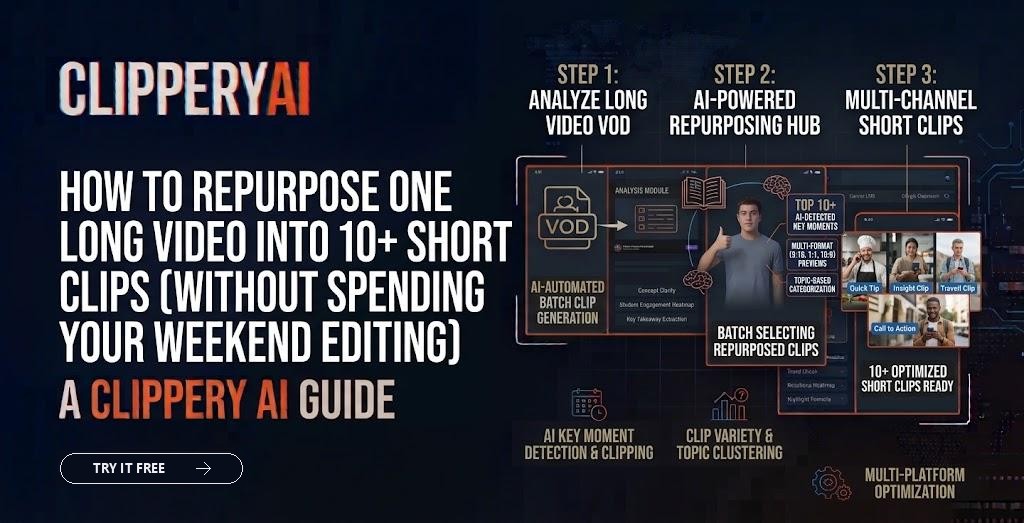
You spent an hour recording a great podcast episode. Maybe 2,000 people will hear the full thing. Meanwhile, a 40-second piece of that same conversation could reach many more people on YouTube Shorts, TikTok and Instagram, if it ever gets cut.
That's the case for repurposing. You already did the hard part, which is having something worth saying on camera. Turning it into short clips is how more people find it. This guide lays out a workflow that works whether you edit by hand or use a tool.
What does it mean to repurpose a long video?
Repurposing a long video means taking one long recording, such as a podcast, webinar, livestream, talk or interview, and cutting it into short, standalone clips formatted for social platforms. Each clip should work for someone who has never seen the full video.
Why repurposing long videos works in 2026
Repurposing works because short clips are how most people discover new creators, while long videos are where trust is built. Clips bring new viewers in; the full episode keeps them. Creators who publish both formats give each one a way to feed the other.
It also solves the volume problem. Posting short video consistently is hard if every clip needs a fresh idea, a fresh setup and a fresh recording. Pulling clips from content you already made fills a posting calendar without adding hours of filming.
Which long videos make the best clips?
The best source videos are ones with people talking clearly about something specific: opinions, stories, explanations and answers to questions. Recordings like these usually clip well:
- Video podcasts and interviews
- Webinars, workshops and conference talks
- Livestreams and gaming streams
- Q&A sessions and AMAs
- Course lessons and tutorials
- Panel discussions
If you're starting with podcasts specifically, our step-by-step guide on how to make podcast clips goes deeper on that format.
The 6-step repurposing workflow
1. Record with clipping in mind
Good clips start before you hit record. Frame speakers so they can be cropped to vertical, use decent microphones, and encourage short, direct answers. A guest who rambles for four minutes before making a point is hard to clip.
2. Find the standalone moments
Watch or skim the recording and mark moments with a clear beginning and a payoff: a strong opinion, a surprising fact, a quick story, a useful tip. The test is simple. Would a stranger understand this clip without any context?
3. Trim to a clean start and end
Start right before the interesting line, not 20 seconds earlier. End right after the payoff lands. If a clip needs a bit of setup to make sense, keep the one sentence that provides it and cut the rest.
4. Reframe for each platform
Most short-form platforms favor vertical 9:16. LinkedIn and some feeds do well with square 1:1, and YouTube long-form uses 16:9. When you reframe, keep whoever is talking in the center of the frame. Our guide to social media video aspect ratios lists what each platform expects.
5. Add captions
Many people scroll with the sound off. Captions keep them watching and make your clip accessible. Word-timed captions that appear as the words are spoken are easier to follow than big blocks of text.
6. Spread clips out and post consistently
Don't post all ten clips on the same day. Spread them across a week or two, and pull from different parts of the recording so your feed doesn't repeat the same five minutes.
How many clips can you get from one video?
A focused one-hour conversation often yields somewhere between 5 and 15 strong clips, depending on how much of it is standalone material. Talks and webinars with a clear structure can produce even more. Quality matters more than count: five clips people finish beat fifteen they scroll past.
Manual editing vs AI clipping
| Factor | Manual editing | AI clipping tool |
|---|---|---|
| Time per long video | Several hours | Minutes to review and export |
| Finding moments | You watch everything | The tool suggests moments, you choose |
| Captions and reframing | Done clip by clip | Applied automatically |
| Creative control | Full | High, with review before export |
| Best for | One-off hero edits | Regular weekly content |
How ClipperyAI handles repurposing
ClipperyAI was built for exactly this job. You upload your recording (MP4, MOV, WebM, MKV or M4V) or paste a link to a video you own. It finds complete moments with a clear start and payoff, trims them, keeps the current speaker centered when reframing, and adds word-timed captions that stay inside the frame. Clips are spread across the whole recording rather than clustered in one section, and you can export each one in 9:16, 1:1 or 16:9.
For series-style content, Episode Series mode cuts a recording into ordered, connected episodes. See how it works, or jump to the use case that fits you: podcast clips, webinar clips or stream highlights.
Key takeaways
- Repurposing turns one long recording into many short, standalone clips.
- Good clips have a clear start, a clear payoff and make sense without context.
- Reframe to vertical with the speaker centered, and always add captions.
- Spread clips across the recording and across the week.
Frequently asked questions
How long should a repurposed short clip be?
Most clips land between 20 and 90 seconds. Use as long as the moment needs to make its point, and no longer. YouTube Shorts allow up to 3 minutes, but shorter clips are often easier to finish.
Can I post the same clip on TikTok, Reels and Shorts?
Yes, as long as you upload the original file to each platform. Avoid reposting a clip downloaded from another app with its watermark, since platforms tend to limit reach for those.
Do I need editing experience to repurpose videos?
No. A clipping tool handles trimming, reframing and captions. Your job is choosing which moments to post.
Is repurposing content bad for reach?
Repurposing your own content into a new format is a normal, widely used strategy. Problems come from reposting identical low-effort content or other people's videos, not from clipping your own recordings.