Ideal Short-Form Video Length: How Long Should Your Clips Be?
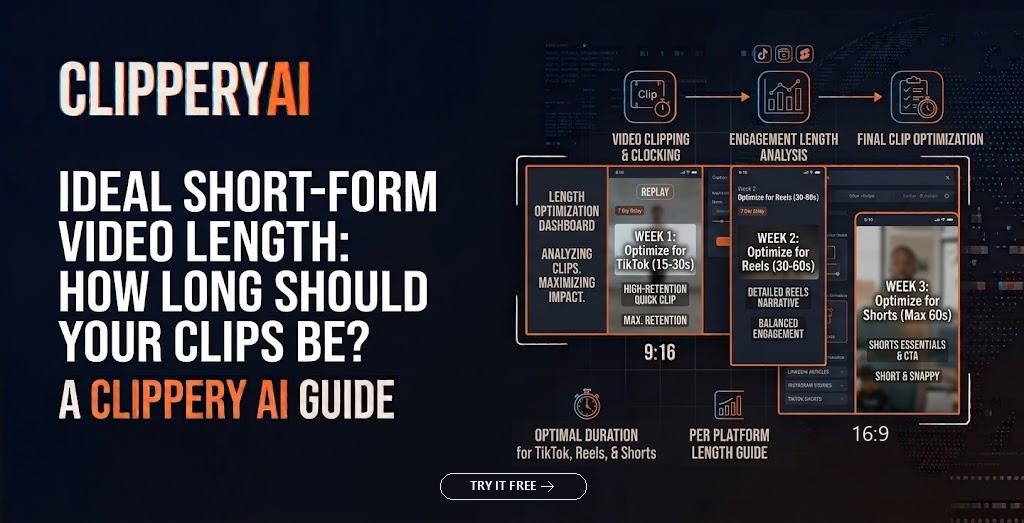
There's no single ideal short-form video length. The best length is the shortest one that delivers a complete thought: an opening that earns attention, the point itself, and a clear ending. For clips cut from longer recordings, that often lands somewhere between about 20 and 60 seconds, while stories and demonstrations sometimes need 90 seconds or more. Platform maximums are now far longer than most clips need, so treat them as ceilings, not targets.
That answer frustrates anyone hoping for a magic number. But rules like "always post 7-second videos" work for some accounts and fail for others. What follows is a more reliable way to decide the right clip length for social media, one clip at a time.
Short-form video length limits by platform
Limits change often and can differ by account, region and upload method, so confirm them in each app before planning around them. As of October 2026:
- YouTube Shorts length limit: vertical or square videos up to three minutes are treated as Shorts. Longer vertical uploads become regular YouTube videos.
- TikTok video length: videos recorded in the app can run up to 10 minutes, and uploaded videos can be much longer, up to 60 minutes for many accounts.
- Instagram Reels length: Instagram has extended Reels several times. Three minutes is widely available, and some accounts and upload paths now allow longer Reels. Check the Reels composer on your own account for the current limit.
None of these numbers tells you what to make. The number that matters more is where your viewers stop watching.
Why maximum length isn't the ideal length
Short-form feeds run on a fast decision. A viewer swipes onto your clip and decides within a second or two whether to stay. Platforms don't publish exact ranking formulas, but they describe signals such as whether people keep watching, rewatching, sharing or following. A 25-second clip most viewers finish tells the system something very different from a two-minute clip most people abandon at the 15-second mark.
That doesn't mean shorter always wins. A tight 75-second story with a real payoff can hold attention better than a 20-second clip that ends before anything happens. The best video length for engagement is a result of the content, not a strategy on its own.
Ideal short-form video length by content type
Use these ranges as starting points rather than rules:
| Content type | Typical range | Example |
|---|---|---|
| Reaction or funny moment | 8–20 seconds | A streamer's genuine shock at a plot twist |
| Quick tip or single fact | 15–30 seconds | A fitness coach correcting one squat mistake |
| Direct answer to a question | 20–45 seconds | A real estate agent explaining whether buyers should ever skip an inspection |
| Story with a payoff | 40–90 seconds | A founder describing the customer call that changed the product |
| Demonstration or how-to | 45 seconds–2 minutes | A woodworker showing a joint step by step |
| Long story or multi-step argument | Split into parts | An interview story told across several connected clips |
Notice the pattern: short video duration grows with the amount of setup a moment needs. A reaction needs almost none. A story needs a beginning, a turn and an ending.
How to find the right length for a specific clip
Start where the thought starts
The clip should begin at the claim, not when the speaker starts talking. Cut the "So, um, yeah, I think the thing is…" and open on the thing. Our guide to short-form video hooks covers six ways to find that opening line in unscripted footage.
End on the payoff, not after it
Most clips run long at the end. The speaker makes the point, then restates it twice. End on the strongest version of the line. A clip that stops right after the payoff feels intentional; one that trails off feels unfinished.
Run the stranger test
Ask whether someone who has never heard of you would understand the clip. If it leans on "as I mentioned earlier," it needs more context at the start or a different moment entirely. Adding ten seconds of setup to make a clip understandable is almost always a good trade.
Try the 10 percent cut
Trim about a tenth of the clip: pauses, repeated phrases, false starts. If nothing important is lost, keep the shorter version. Repeat until the next cut hurts.
When a clip is too long to be short
Some moments genuinely need three or four minutes: a full story, a detailed walkthrough, an argument with several steps. Rather than squeezing it into 60 seconds or posting a long clip people abandon, split it into parts. Each part should end on an open question so viewers want the next one. Our guide to splitting a long video into parts for TikTok covers where to cut and how to label a series.
ClipperyAI's Episode series option does this automatically: it cuts a recording into an ordered set of connected episodes, each opening on a hook and ending on a cliffhanger.
Use your analytics to find your own sweet spot
General ranges only go so far. Your audience, niche and delivery matter more than any industry average. YouTube, TikTok and Instagram all show retention data for individual videos, so look at where the curve drops, not just total views.
A simple test: over a few weeks, post similar clips in different length bands, such as under 30 seconds, 30 to 60 seconds, and 60 to 90 seconds. Keep topics and style as consistent as you can, then compare the share of viewers who watch to the end, along with shares and follows. After a couple dozen clips, you'll usually see whether one band holds attention better for your audience.
Read the retention curve, too. A sharp drop in the first two or three seconds points to the opening, not the length. A steady curve with a sudden cliff means something at that minute loses people, often a tangent. Strong rewatch numbers on very short clips suggest they loop well.
How ClipperyAI decides clip length
ClipperyAI doesn't chop recordings on a timer. It reads the whole recording and looks for complete thoughts, each with a beginning and a payoff, so clip length follows the moment rather than a preset duration. If a moment only makes sense with something said earlier, it pulls that context in, and it spreads clips across the full recording instead of taking several from the same minute. You can see how ClipperyAI selects moments on the homepage.
This suits long, unscripted recordings like interviews, podcasts and stream recordings, where good moments vary in length. You still decide what gets posted, and reviewing each clip before publishing is a good habit with any tool. If you're working specifically from YouTube uploads, this guide to turning long YouTube videos into Shorts compares the built-in option, manual editing and automatic clipping.
Let the moment set the length
The ideal short-form video length is whatever a complete moment needs: start at the claim, end on the payoff, add context only when a stranger would be lost, and split anything that needs more room into parts. Then let your own retention data refine the ranges over time. If you'd like clips cut to the natural length of each moment in your recordings, try ClipperyAI free with 60 minutes of video each month.
Frequently asked questions
How long should a TikTok be?
Long enough to make one complete point and no longer. For talking clips cut from longer recordings, that's often 20 to 60 seconds. TikTok accepts much longer uploads, so let the content, not the limit, set the length.
What is the YouTube Shorts length limit?
YouTube treats vertical or square videos up to three minutes long as Shorts. Most Shorts cut from long videos work best well under that ceiling.
How long can Instagram Reels be?
Three minutes is widely available, and Instagram has rolled out longer limits for some accounts and upload methods. Check your Reels composer for the limit on your account.
Is 60 seconds too long for a short video?
Not if the clip holds attention. A 60-second clip with a clear payoff can outperform a 15-second clip that says nothing. Your retention data is the real judge.
Do shorter videos always get more views?
No. Very short clips are easier to finish and loop, but a clip too short to deliver anything gives viewers no reason to engage or follow.